Signal processing starts at the input control, located at the top of the window in the center. As you can see, two arrows diverge to the left and right. These represent the MS (Mono/Stereo) separation. The blue arrow to the left is the mono portion of your signal, the yellow arrow to the right is the stereo component. These two signal paths are called “busses”. The blue mono bus carries on to the left, reaching a volume control used for adjusting the mono level. Even further to the left, the signal reaches the “Frequency Splitter”.
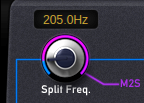
The signal is split once more, but this time into two frequency bands. All frequencies below the current split frequency remain on the blue mono bus, which leads to the “Mono EQ” (selectable in the display). This lets you apply equalization to the mono signal only i.e. separately from the stereo component. The signal then passes to the left of everything else, finally reaching the output stage – the “bus terminus”! Here, the signal is sent through a limiter to prevent clipping (this can be switched off if you prefer).
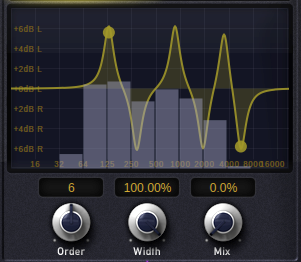
All frequencies above the current split frequency are diverted downwards into the two M2S (mono to stereo) signal processors. This new signal path is color-coded purple. The first signal processor is the “frequency shifter”, the details of which are explained later in this manual.
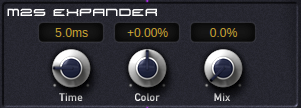
Directly afterwards, the signal reaches the second signal processor: the “Expander”.
Next, it passes through a Mix control, which is common to both signal processors. At this point, you have the opportunity to audition the signal (with solo / mute function).
You now have the choice of where to route the signal next. If you send it to the left, the signal is fed into the mono bus, and from there to the output. Or you can send the signal to the top-right, thereby feeding it back through the stereo signal path again. So let’s take a look at that stereo signal path:
The yellow arrow starts at the input level and leads to the right. This path contains the natural stereo information in your signal (stereo component only – no mono!)
First, it passes through another volume control (the level of the stereo portion). Please note that you can also audition the signal at this point (solo / mute). The next station is the “Width” control, with which you can narrow the stereo width of the signal from its usual maximum (100%).
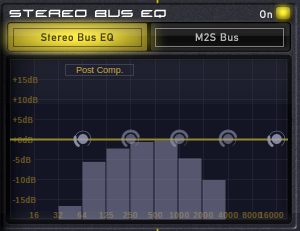
Next stop is the EQ, where you can equalize the stereo component of the signal only. The EQ switch “MS2Bus” lets you optionally EQ an M2S signal (purple) separately if it has been routed here.
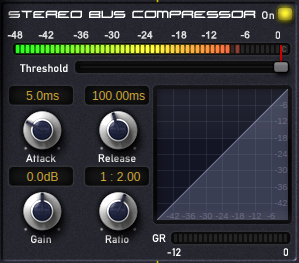
Now both signals (yellow natural stereo and perhaps purple artificial “M2S” stereo) are fed into the compressor. You can use the compressor to change the dynamic range of the signal e.g. to make it appear to be louder, with a more compact stereo image.
The final processor is, like in the blue mono bus, the optional limiter. The signal then arrives at its “bus terminus”: the main output.